
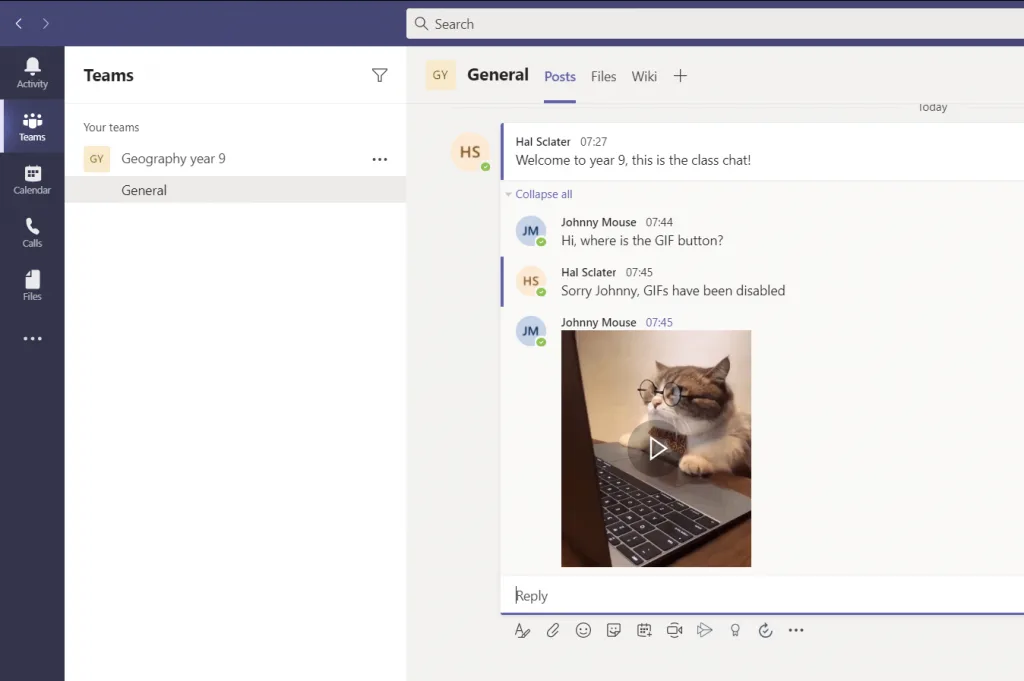
Administrators can disable the GIF button in Microsoft Teams, but that doesn’t mean you can’t post GIFs! This is a simple workaround.
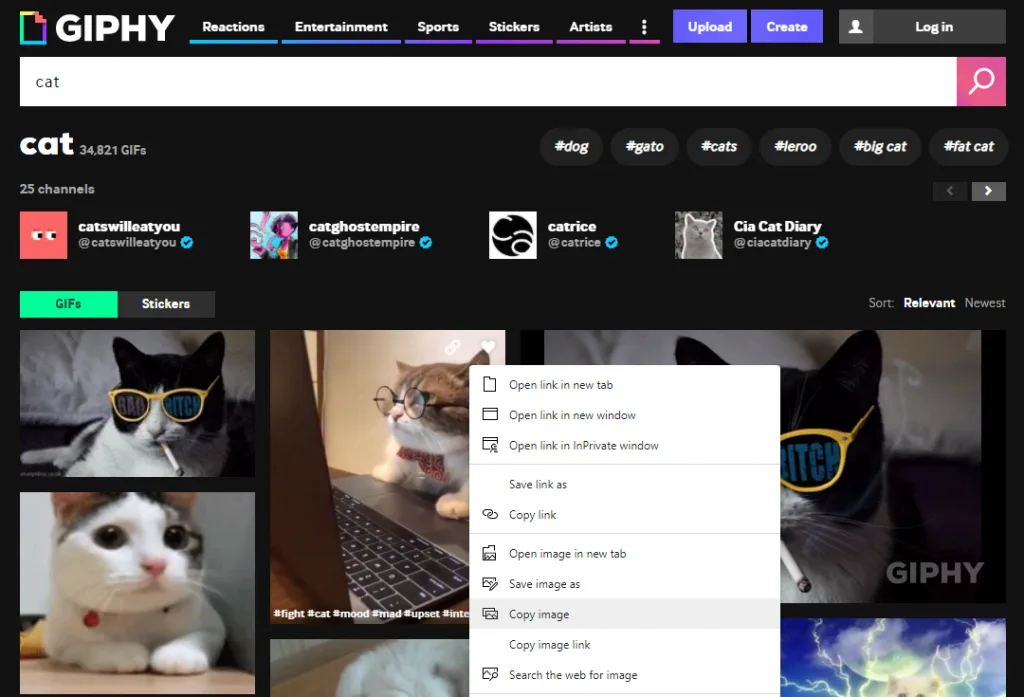
Short answer: to add a GIF to a Teams chat, open GIPHY, find the GIF you want, right-click it and choose Copy image, then paste it into the chat with Ctrl+V. This works even when an administrator has turned the GIF button off.
Ctrl+V.That’s it! The GIF will appear in the chat even though the GIF button is disabled.
If you’re an admin and want to manage GIF settings rather than relying on workarounds:
admin.teams.microsoft.comYou can also manage this via PowerShell:
# Disable GIFs
Set-CsTeamsMessagingPolicy -Identity Global -EnableGiphy $false

# Enable GIFs with moderate filtering
Set-CsTeamsMessagingPolicy -Identity Global -EnableGiphy $true -GiphyRatingType Moderate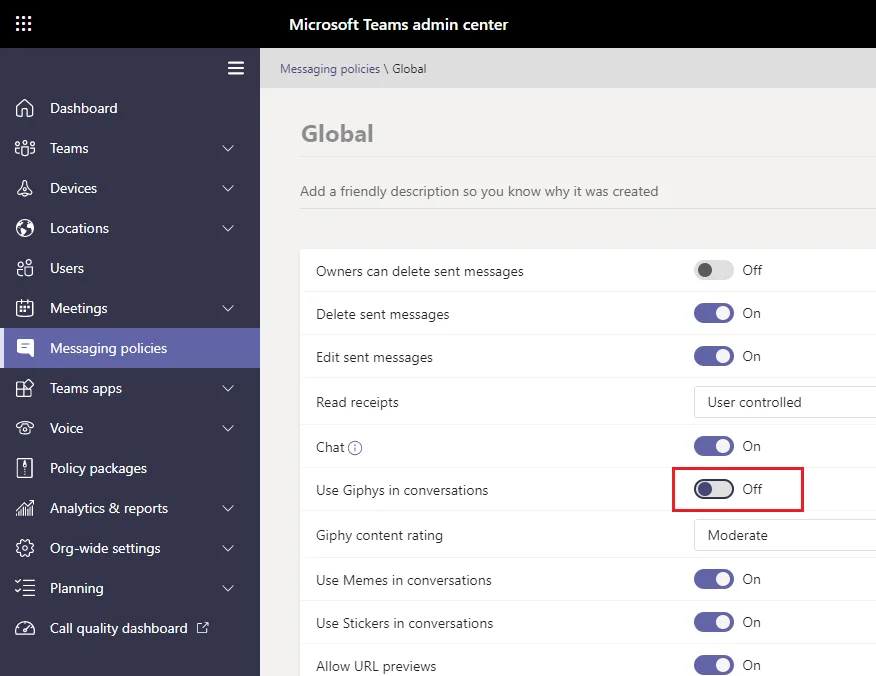
If you can’t see the GIF button under the compose box, it is almost always a messaging policy setting rather than a fault. Check the Use Giphy option in the policy assigned to you: if it is Off, the button is hidden for everyone on that policy.
A few other things to rule out:

