Knowledge Article
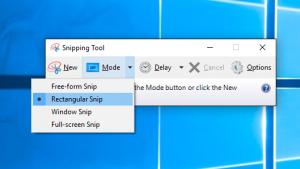
Take a screenshot in Windows 10 with the snipping tool
How to take a screenshot in Windows 10 using the snipping tool. Use this if you want to send a screenshot in an email. Select

How to take a screenshot in Windows 10 using the snipping tool. Use this if you want to send a screenshot in an email. Select
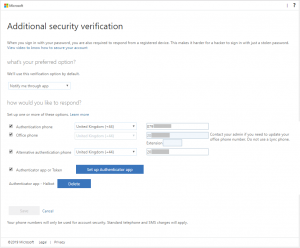
Update: This is old and you should now use Security Defaults or conditional access if you have it. See https://cloudrun.co.uk/office365/increase-your-office-365-security-for-free-with-security-defaults-for-admins/ Multi-factor authentication is essential nowadays
| Cookie | Duration | Description |
|---|---|---|
| cookielawinfo-checbox-analytics | 11 months | This cookie is set by GDPR Cookie Consent plugin. The cookie is used to store the user consent for the cookies in the category "Analytics". |
| cookielawinfo-checbox-functional | 11 months | The cookie is set by GDPR cookie consent to record the user consent for the cookies in the category "Functional". |
| cookielawinfo-checbox-others | 11 months | This cookie is set by GDPR Cookie Consent plugin. The cookie is used to store the user consent for the cookies in the category "Other. |
| cookielawinfo-checkbox-necessary | 11 months | This cookie is set by GDPR Cookie Consent plugin. The cookies is used to store the user consent for the cookies in the category "Necessary". |
| cookielawinfo-checkbox-performance | 11 months | This cookie is set by GDPR Cookie Consent plugin. The cookie is used to store the user consent for the cookies in the category "Performance". |
| viewed_cookie_policy | 11 months | The cookie is set by the GDPR Cookie Consent plugin and is used to store whether or not user has consented to the use of cookies. It does not store any personal data. |