How to improve your Office 365 tenant security by configuring Security Defaults. This is a guide for Office 365 administrators.
All Office 365 customers can now significantly improve the security of their tenant regardless of which licenses they have. Previously this required Azure AD Premium P1, so this is great news for smaller customers.
Before you enable Security Defaults, be aware of the impact:
Connect to Exchange Online PowerShell and check:
Get-OrganizationConfig | Format-Table Name,OAuth* -AutoIf it’s set to false, enable it:
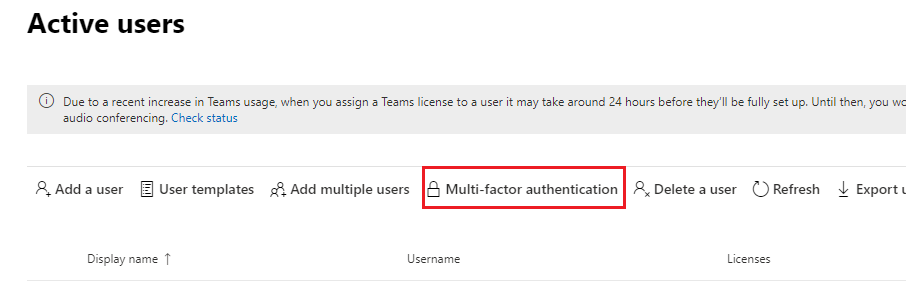
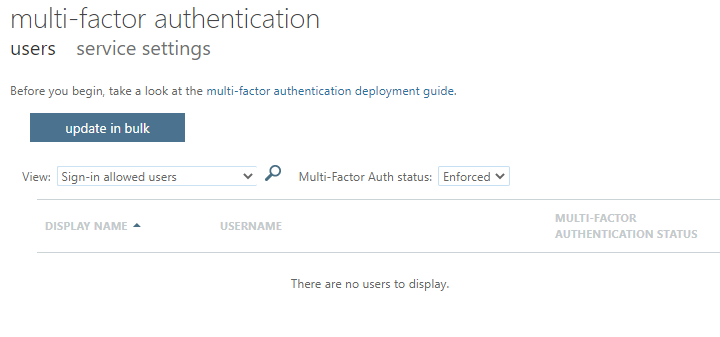
Set-OrganizationConfig -OAuth2ClientProfileEnabled $trueGo to the Microsoft 365 admin center > Users > Active Users > Multi-Factor authentication. Disable MFA for any users who have it set to Enforced — Security Defaults will replace this.
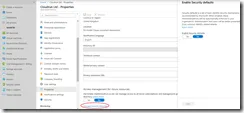
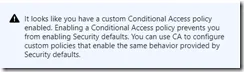
Use PowerShell to see who has enrolled:
Get-MsolUser -all | Where{!$_.StrongAuthenticationMethods} | Select UserPrincipalNameOr list all users with their status:
Get-MsolUser -all | Sort-Object Userprincipalname | ft Userprincipalname, StrongAuthenticationMethodsSee Increasing your account security with MFA (for users) for the user impact of enabling security defaults.