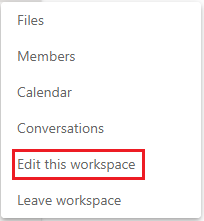
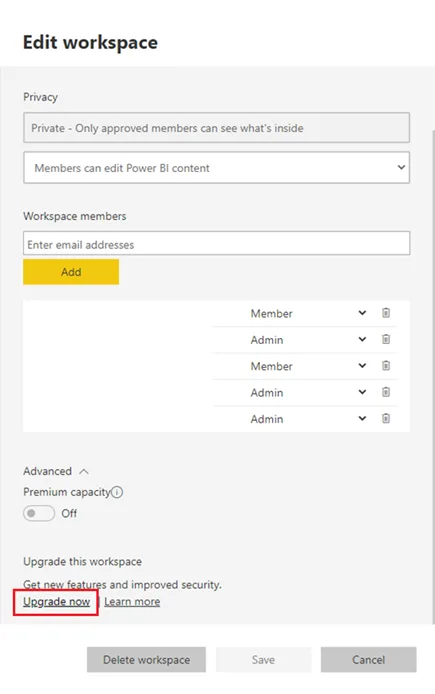
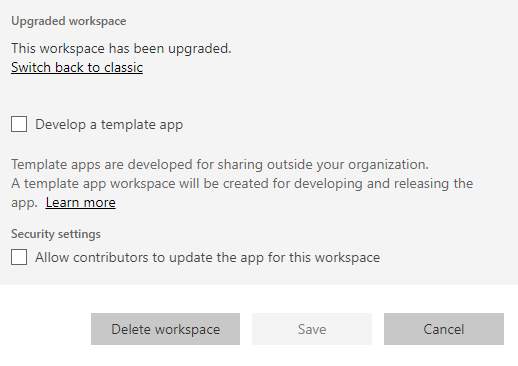
This article describes how to delete a PowerBI workspace linked to a Team, without affecting the Team itself. When a Team is created, a workspace is also created in PowerBI. This is undesirable as they show in the list of workspaces for the user, causing confusion.
Note that you have to be a Team Owner to edit the workspace — even a PowerBI admin cannot do this. Make yourself a Team Owner first using Teams admin, or in the Office 365 Admin portal.
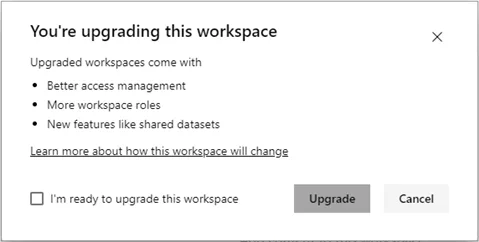
Also note that it is very important to upgrade the workspace first. If you do not do this, the Team (and Office 365 group) will be deleted when you delete the workspace.
If you forget to upgrade the workspace, the Team and group will be deleted. You have 30 days to restore the group: