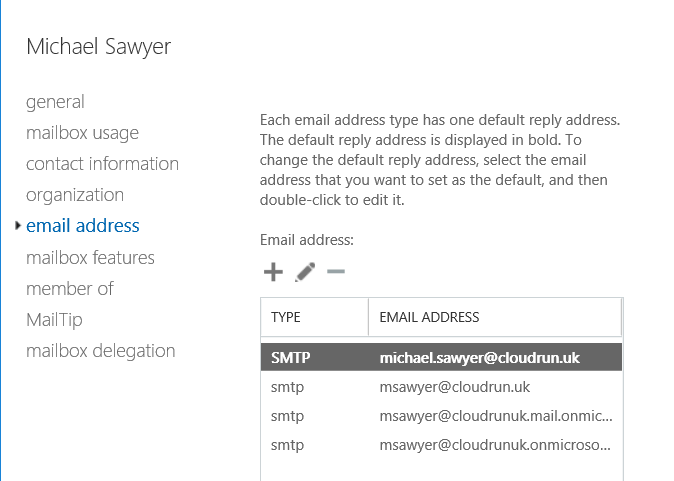
How to convert existing primary email addresses to lowercase, as well as ensuring that any new mailboxes also have lowercase primary email addresses.
This can be useful because it looks tidier and some applications that use email for SSO may be case sensitive.
In on-prem Exchange, update the default policy to use lowercase:
Set-EmailAddressPolicy -Identity "Default Policy" -EnabledPrimarySMTPAddressTemplate "%rAa%rBb%rCc%rDd%rEe%rFf%rGg%rHh%rIi%rJj%rKk%rLl%rMm%rNn%rOo%rPp%rQq%rRr%rSs%rTt%rUu%rVv%rWw%rXx%rYy%rZz%g.%s@domain.com"Run this script from your on-prem Exchange server to convert existing remote mailboxes:
$ErrorActionPreference = "SilentlyContinue"

Connect-Exchange2016  # Your connection script here

$OU = "OU=Users,DC=domain,DC=com"
$ADusers = Get-ADUser -Filter 'enabled -eq $true' -SearchBase $OU -properties Mail | Sort-Object Mail

$TargetObjects = @()

foreach ($user in $ADusers) {
    $TargetObject = Get-RemoteMailbox -Identity $user.samaccountname | Where {$_.PrimarySmtpAddress.ToLower() -cne $_.PrimarySmtpAddress}
    if ($TargetObject) {
        $TargetObjects += $TargetObject
    }
}

if (!$TargetObjects) {
    Write-Host "No mailboxes found with uppercase characters, exiting" -ForegroundColor Yellow
} else {
    Write-Host "Total mailboxes with uppercase characters:" $TargetObjects.count

    foreach ($RemoteMailbox in $TargetObjects) {
        Write-Host "Old address: $($RemoteMailbox.PrimarySmtpAddress)"
        Write-Host "New address: $($RemoteMailbox.PrimarySmtpAddress.ToLower())"

        Set-RemoteMailbox $RemoteMailbox.Identity -PrimarySmtpAddress ("TMP-Rename-" + $RemoteMailbox.PrimarySmtpAddress) -EmailAddressPolicyEnabled $false
        Set-RemoteMailbox $RemoteMailbox.Identity -EmailAddresses @{remove = $RemoteMailbox.PrimarySmtpAddress}
        Set-RemoteMailbox $RemoteMailbox.Identity -PrimarySmtpAddress $RemoteMailbox.PrimarySmtpAddress.ToLower()
        Set-RemoteMailbox $RemoteMailbox.Identity -EmailAddresses @{remove = ("TMP-Rename-" + $RemoteMailbox.PrimarySmtpAddress)}
        Set-RemoteMailbox $RemoteMailbox.Identity -EmailAddressPolicyEnabled $true
    }
}
Note: The only impact we found in a live environment was that iOS Mail users were prompted for their password again. Outlook on desktop or mobile was unaffected.
New mailboxes inherit the policy above, but hybrid migrations create them a different way — see how to create users and shared mailboxes in an Exchange hybrid environment if you are building them with New-RemoteMailbox.